Substrates
Overview
- Every Part must be linked to a Substrate unless it is an overprint.
- When a Part is added to an estimate (e.g. on a Quotation), a series of displays allow you to select all the options, including the substrates.
Select Substrate
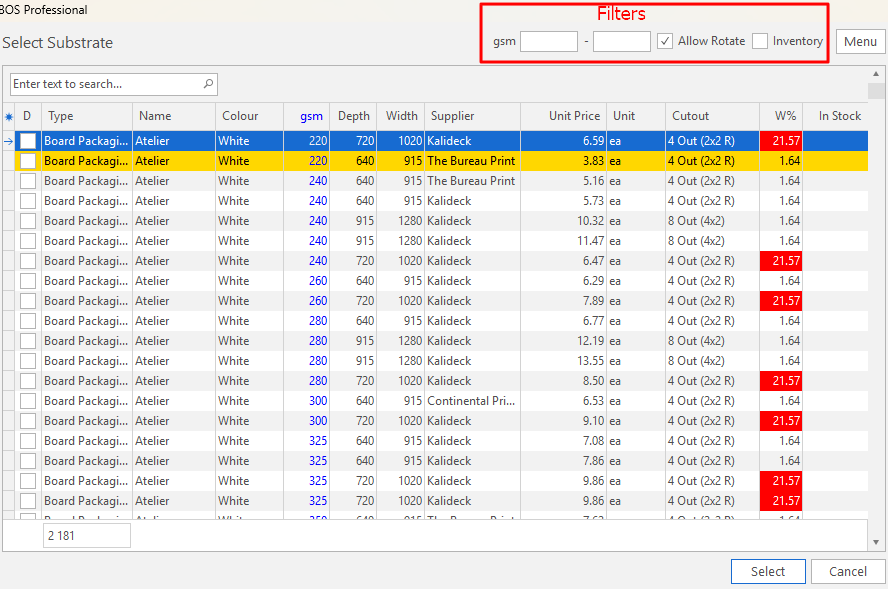
When the page opens, the default Substrate linked to the Part is selected. If the default does not exist, the first record is selected.
- The gsm filters can be used to filter the list.
- When you make a selection, all the substrates with the same Name, Colour and GSM are highlighted.
- Substrates that are smaller than the work size do not appear.
- The default Cutout and W% appear in the grid view – W% > 20 is highlighted in red.
- Allow Rotate (checkbox). If unchecked it prevents the cutout from rotating the Worksheet to the Paper sheet. This feature can also be set during the Parts Setup.
- Inventory (checkbox): Used to view what is on hand. The In Stock field is hidden by default.
- Menu (button): Saves the grid. Fields can be added or removed using the Field Chooser (*) in the first column.
Overprint
You are unable to select or edit the Substrate.
Edit Substrate
Info
You can edit the Qty Across and Qty Down of the Substrate Cutout.
The Cutout (Qty Out) can be overridden to cater for crosscuts. If you override the Cutout and it does not fit, it reverts to the default Cutout.
The Imposition and Cutout images are cleared when changes are made to the Imposition and displayed when Save (button) is clicked.
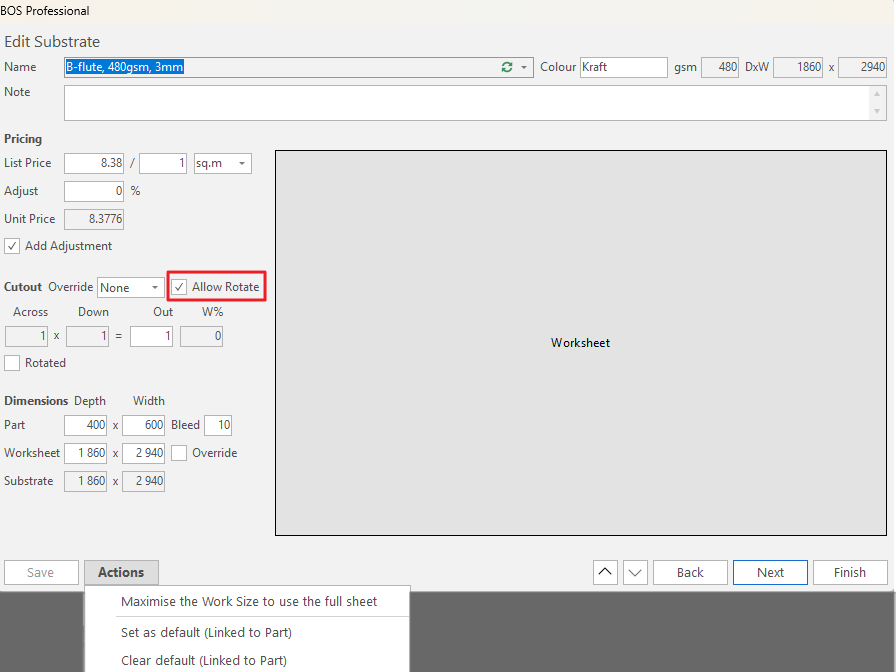
Allow Rotate (checkbox). If checked, the cutout can be rotated. This feature can also be set during the Parts Setup.
Actions (button)
| Button | Description |
|---|---|
| Maximise the Work Size to use the full sheet | Increases the Work Size to the greater of the maximum press size or the full sheet size. |
| Set as default (Linked to Part) | Updates the linked Part with the substrate and cutout details. |
| Clear default (Linked to Part) | Clears the default. |
Calculations
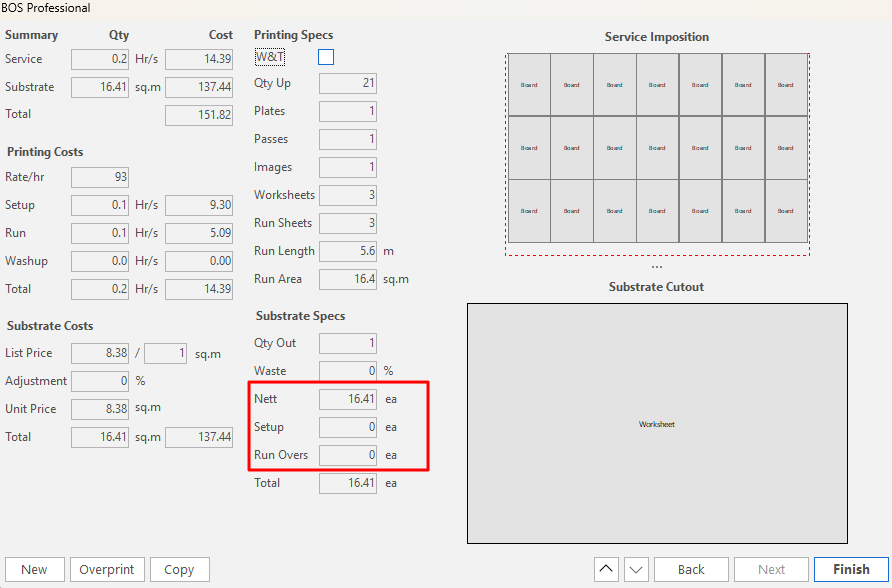
- Sheets: The Net, Setup and Run Overs are all rounded up to a full sheet and then added together for the Total Sheets required.