Cost Centres
Overview
- The Cost Centre module calculates Hourly Rates for Estimating.
- Both direct and overhead costs can be linked to a Cost Centre to determine an hourly rate for services.
- Overhead Costs are allocated to Production Cost Centres in proportion to the Monthly Costs of the Cost Centres.
- You may override the Overhead Allocation.
- Overheads can also be recovered by marking up the rates sufficiently to cover the overheads and make a profit.
Cost Centres are also used in the Production Planning and Tracking modules and these Cost Centres are often created only as Workstations.
Edit View: Header Fields
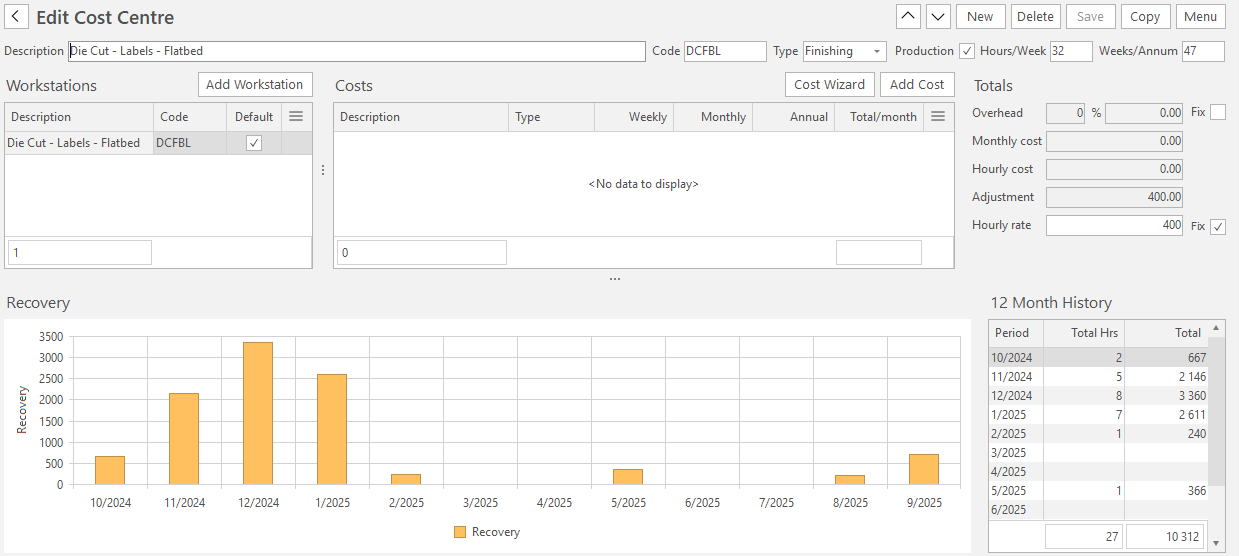
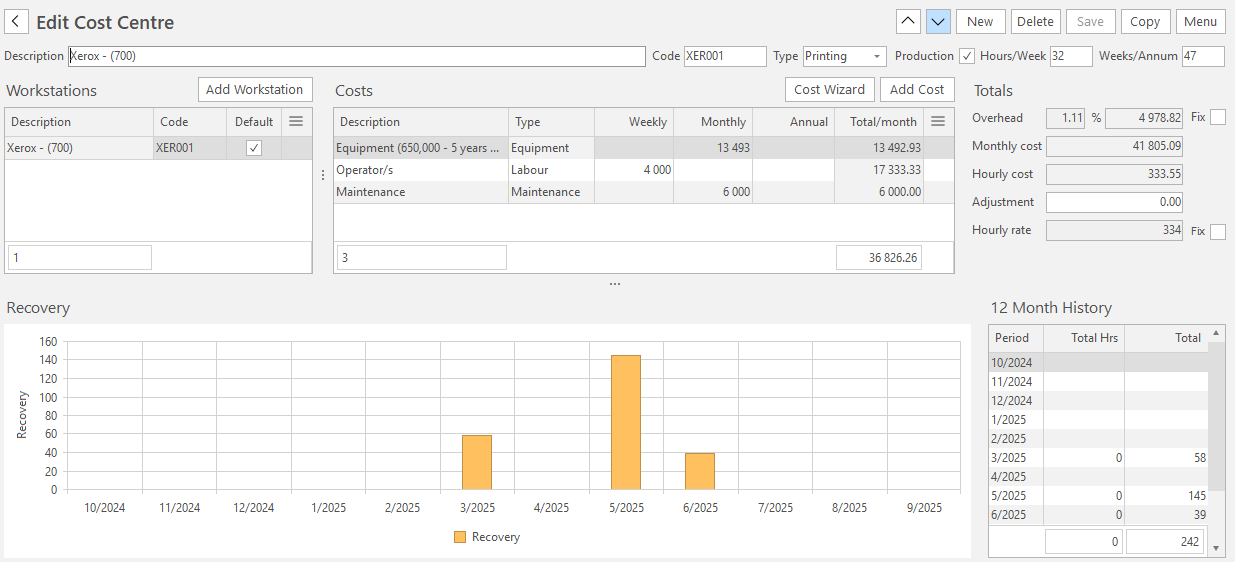
Following is a description of the header fields used in the Cost Centre module.
| Field | Description |
|---|---|
| Description | Describes the Cost Centre. |
| Code | A brief description used where space is limited. |
| Type | The type of Cost Centre. |
| Production | Checkbox. Checked if the Cost Centre is used in production.
|
| Overhead |
|
| Monthly cost | Calculated from Direct Costs and Overheads. |
| Hourly cost | Calculated from Monthly Cost and Productivity (Hours/Week & Weeks / Annum). |
| Adjustment | Can be used to adjust the Hourly Rate (e.g. add a markup amount). |
| Hourly rate | The calculated hourly rate used for Estimating. |
| Fix | When checked, you can manually set the Hourly Rate. |
Costs
Costs can be added manually or using the Cost Wizard.
Wizard
| Field | Description |
|---|---|
| Equipment | Add the Market Value of the equipment and a Market-related Term and Interest Rate assuming you were leasing the equipment to generate a virtual Monthly Cost for the equipment, even if it is already paid for (that is, it includes the replacement cost). |
| Operators | Add an average wage for Operators and Assistants assuming you were fully staffed. |
| Maintenance | Add a projected maintenance cost and click Finish (button) to complete the process. |
Fields
| Field | Description |
|---|---|
| Description | The description of the cost. |
| Type | Select Equipment, Labour, Maintenance or Other. The type separates and summarises Costs in the Cost Centre list view. |
| Weekly/Monthly/Annual | Allows costs to be captured for different periods. These are not calculation fields; all the entered costs are added and become the Direct Costs. |
| Total/month | All the costs converted to a monthly total. |
| Updated by | The user who last updated the Cost Centre. Displayed just above the footer. The fields are blank if the records are unchanged since they were created. |
| Updated | The date and time on which the Cost Centre was last updated. Displayed just above the footer. The fields are blank if the records are unchanged since they were created. |
Recovery Summary
Displays a summary of the actual productivity and usage which can be used to update the costs. See examples below: