Customer Price Lists Tutorial
Overview
- Price Lists can be created to allocate markups or discounts to groups of customers. For every field on the screen, see Customer Price Lists.
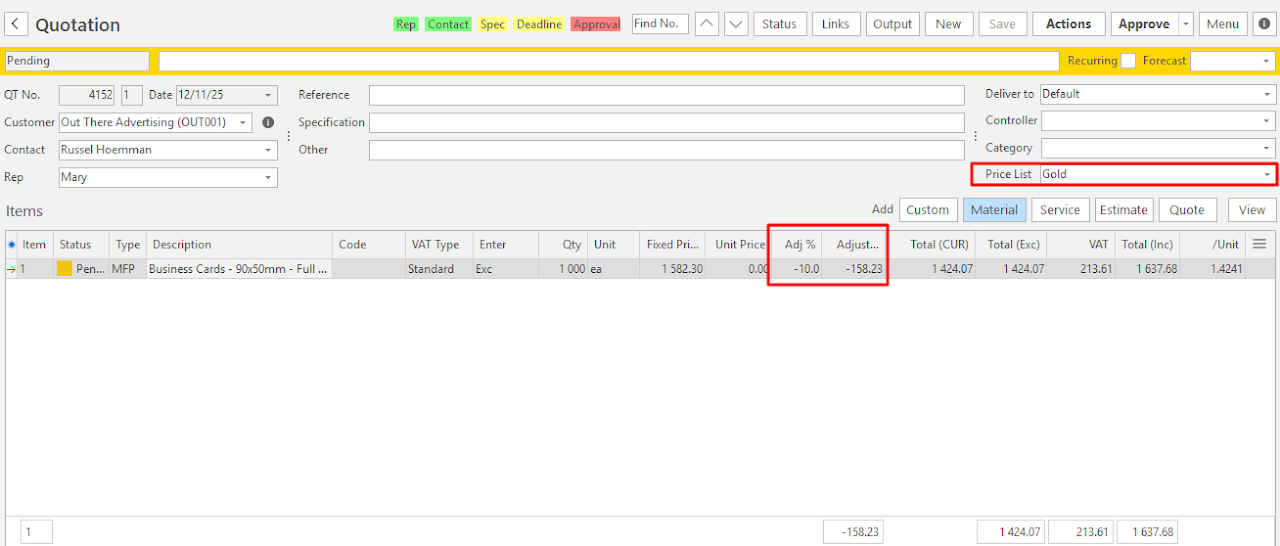
- For example, if a customer gets a 5% override commission, you can create a Price List that automatically deducts a 5% discount from the prices charged to that customer.
- Price Lists are allocated to customers on their Accounting tabs.
- You can only delete a Price List if it is not used on any Quotations.
💡This tutorial explains how to create a Price List, with an example.
How to Create a Price List
- Navigate to Price Lists.
- Click New (button).
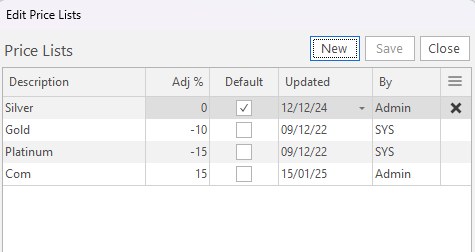
- Complete the row as follows:
- Description = Enter a name for the Price List.
- Adj % = Enter a number that represents the percentage that is added or deducted from a Sell Price.
- Default = Check the Default checkbox for one of the Price Lists. This price is used for customers who are not allocated to Price Lists.
- Click Save (button).
Example