Parts
Overview
The following Part Types are available:
- Standard
- Duplicate
- Bookwork
- Custom Imposition
Setups Screen
Parts is a tab of the Setups screen, with the other standard estimating setups.
Buttons Explained
| Button | Description |
|---|---|
| Refresh | Reloads the open tab. |
| Menu | The grid layout options:
|
Parts Tab: Buttons Explained
| Button | Description |
|---|---|
| New Part | Adds a Part. |
Setting up
Individual Parts must be created when the following changes:
- Size
- Substrate
- Service (Printing or Cutting)
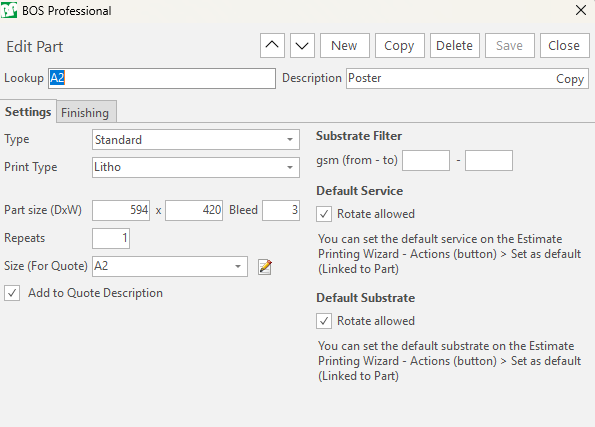
Substrate Filter
- You can set a default Substrate Filter in the Printing Wizard which can be overwritten.
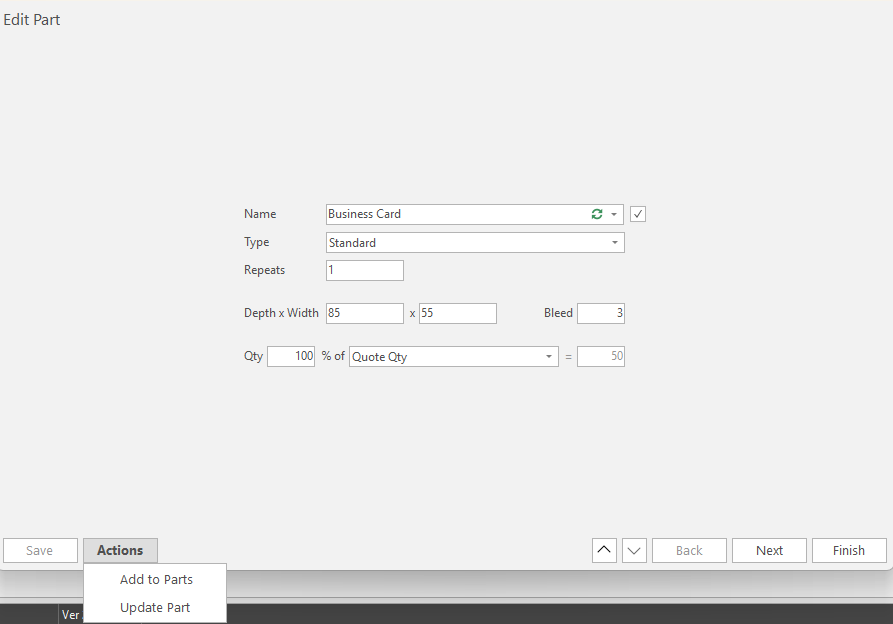
Actions (button) Functions
This button is on the Edit Part section when a part is added to an estimate.
- Add to Parts: Adds a new Part to the setup.
- Update Part: Enabled if the Part is linked to a setup.