
Corrugated Boxes
Overview
The Corrugated Boxes estimate type is unique in the following ways:
- The Substrate (Board) is estimated by square metre (sq.m) and ordered to size from the Board suppliers.
- The Die-cut option lets you enter a Board size and the Quantity Up.
- Images are generated for the RSC Box layout and for the Cutout if a sheet is used.
Specification
| Field | Description |
|---|---|
| Type | Select from:
|
| 2 Piece | Applicable to RSC, HSC, SLV – When checked, the box is manufactured in two parts. |
| Substrate | Select sq.m or sheet substrates. |
| Style | Select from a lookup list. Applies to die-cut boxes (hidden for the Sheet type). (The lookup list is created here: Menu (button) > Settings.) |
| Box Size | Length x Width x Height. Hidden for the Sheet type. |
Regular Slotted Containers (RSC) and HSC only
| Field | Description |
|---|---|
| 2 Pieces | When checked, the box is manufactured in two parts (RSC only). |
| Box Flap | The height of the Box flap in mm. The options are:
|
| Glue Flap | The width of the Glue flap is in mm. See the Settings to specify whether the Glue Flap is on the left or right side. |
| Margin 1 | Applied to the first three panels along with the Chop. |
| Margin 2 | Applied to the last panel along with the Chop. |
| Trim | Used to adjust the Chop size. Default = 10 mm. |
Half-slotted Containers (HSC)
- Similar to RSC, except it only has flaps on one side.
Sleeve (SLV)
- Similar to RSC except it does not have flaps.
Full Telescopic Design (FTD)
- This design comprises a Base/Body and Cover/Lid which are estimated on separate estimates.
- Start by estimating the Base and then copy the estimate and change the type to Cover. This change automatically assigns the margins for the Cover.
- This type uses the Margin1 setting for the Base/Body and it uses the Width+ and Length+ settings for the Cover/Lid.
Services
| Field | Description |
|---|---|
| Printing | The lookup list displays all the items from the Printing part where Input = Printing. |
| Die Cutting | The lookup list displays all the items from the Finishing part where Input = Die Cutting. |
| Assembly | The lookup list displays all the items from the Finishing part where Input = Assembly. |
| Packaging | The lookup list displays all the items from the Packaging part. |
| Delivery | The lookup list displays all the items from the Delivery part. |
Materials
- Die
- Plate
Flat size calculations for RSC
The Flat size is calculated according to the Board type (subcategory):
- B-Flute: Glueflap = 30; Margin 1 = 3 (2 Piece = 1); Margin 2 = 1; Trim = 10
- C-Flute: Glueflap = 30; Margin 1 = 5 (2 Piece = 2); Margin 2 = 2; Trim = 10
- DWB: Glueflap = 35; Margin 1 = 9 (2 Piece = 4); Margin 2 = 4; Trim = 10
- E-flute: Margin 1 (1 piece and 2 piece), Margin 2, Trim, FTD - Lid Length and FTD - Lid Width (Default = 0)
Height calculation for HSC
- The height of HSC boxes is calculated as follows: Box Height plus a fixed margin based on the board type: B = 5 mm, C = 5 mm, DWB = 10 mm.
Converting Substrate to Sheets
- Right-click the Substrate Costing and select Convert Stock (sq.m) to Stock (Sheet).
- A new material is created, and the estimate is updated to Each.
- The Corrugated Box Setting: Material Category for Stock (Sheets), can be used to select the Default Category.
Settings
Info
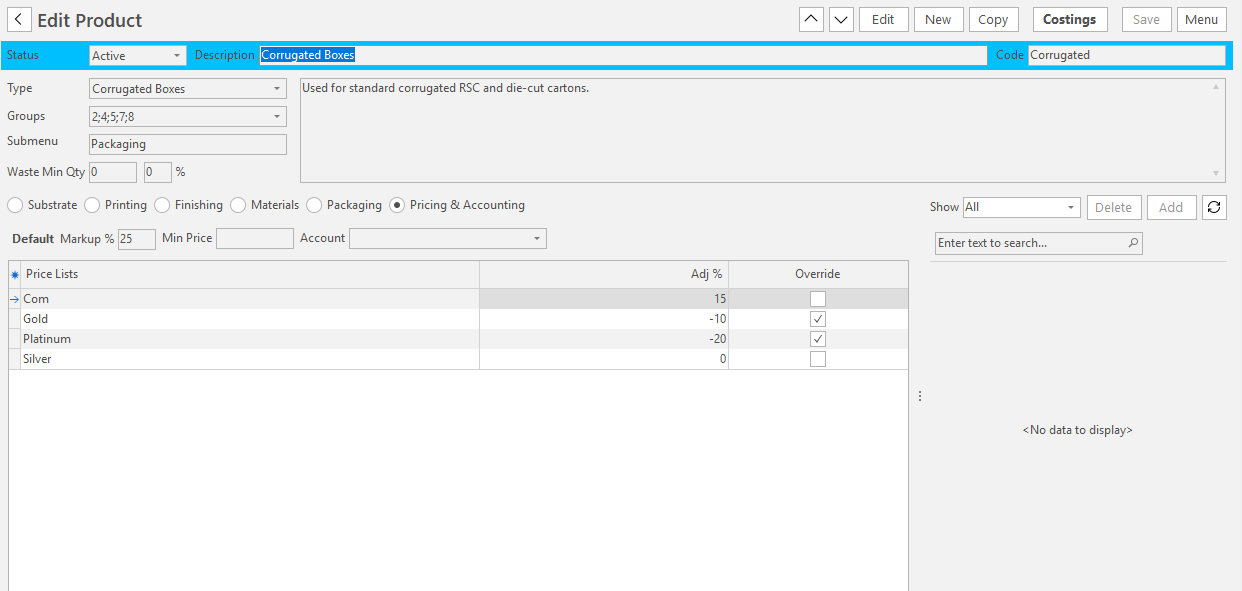
The Corrugated Box settings are not on the Settings screen. Open them from a product, as shown above.
They are defaults. A new box takes the minimum stock sizes and the glue flap. When you select the stock, the box takes the glue flap, Margin 1, Margin 2, trim and FTD lid sizes for the stock's board type (its subcategory: B-Flute, C-Flute, DWB or E-Flute), unless you entered your own. Changing the stock clears them, so the new stock's values are filled in.
| Setting | Description | Default |
|---|---|---|
| Material Category for Stock (Sheets) | The default Material Category for the new material created by Convert Stock (sq.m) to Stock (Sheet). | None |
| Box Style lookup list | The list of box styles for die-cut boxes. Click Edit in the Value column to edit the list. | Blank |
| Minimum Stock Width | The minimum stock (substrate) width in mm, set on a new box. | 600 |
| Minimum Stock Depth | The minimum stock (substrate) depth in mm, set on a new box. | 220 |
| Minimum Stock sq.m | The minimum stock (substrate) area in sq.m, set on a new box. | 250 |
| Glue Flap | The glue flap in mm, for every board type except DWB. | 30 |
| Glue Flap DWB | The glue flap in mm, for DWB. | 35 |
| Margin 1 B-Flute | Margin 1 in mm, for B-Flute board. | 3 |
| Margin 1 C-Flute | Margin 1 in mm, for C-Flute board. | 5 |
| Margin 1 DWB | Margin 1 in mm, for DWB board. | 9 |
| Margin 1 E-Flute | Margin 1 in mm, for E-Flute board. | 0 |
| Margin 1 B-Flute - 2 piece | Margin 1 in mm, for two-piece boxes on B-Flute board. | 1 |
| Margin 1 C-Flute - 2 piece | Margin 1 in mm, for two-piece boxes on C-Flute board. | 2 |
| Margin 1 DWB - 2 piece | Margin 1 in mm, for two-piece boxes on DWB board. | 4 |
| Margin 1 E-Flute - 2 piece | Margin 1 in mm, for two-piece boxes on E-Flute board. | 0 |
| Margin 2 B-Flute | Margin 2 in mm, for B-Flute board. | 1 |
| Margin 2 C-Flute | Margin 2 in mm, for C-Flute board. | 2 |
| Margin 2 DWB | Margin 2 in mm, for DWB board. | 4 |
| Margin 2 E-Flute | Margin 2 in mm, for E-Flute board. | 0 |
| Trim B-Flute | The trim in mm, for B-Flute board. | 10 |
| Trim C-Flute | The trim in mm, for C-Flute board. | 10 |
| Trim DWB | The trim in mm, for DWB board. | 10 |
| Trim E-Flute | The trim in mm, for E-Flute board. | 0 |
| FTD - B-Flute - Lid Length + | The length in mm added to the Cover/Lid of a Full Telescopic Design box, for B-Flute board. | 12 |
| FTD - B-Flute - Lid Width + | The width in mm added to the Cover/Lid of a Full Telescopic Design box, for B-Flute board. | 6 |
| FTD - C-Flute - Lid Length + | The length in mm added to the Cover/Lid of a Full Telescopic Design box, for C-Flute board. | 20 |
| FTD - C-Flute - Lid Width + | The width in mm added to the Cover/Lid of a Full Telescopic Design box, for C-Flute board. | 8 |
| FTD - DWB - Lid Length + | The length in mm added to the Cover/Lid of a Full Telescopic Design box, for DWB board. | 33 |
| FTD - DWB - Lid Width + | The width in mm added to the Cover/Lid of a Full Telescopic Design box, for DWB board. | 11 |
| FTD - E-Flute - Lid Length + | The length in mm added to the Cover/Lid of a Full Telescopic Design box, for E-Flute board. | 0 |
| FTD - E-Flute - Lid Width + | The width in mm added to the Cover/Lid of a Full Telescopic Design box, for E-Flute board. | 0 |
Output
For the data available on output templates, see Output Data Pipelines.